
Slacker Screenlet
November 20, 2007 at 12:54 PM | categories: python, linux | View Comments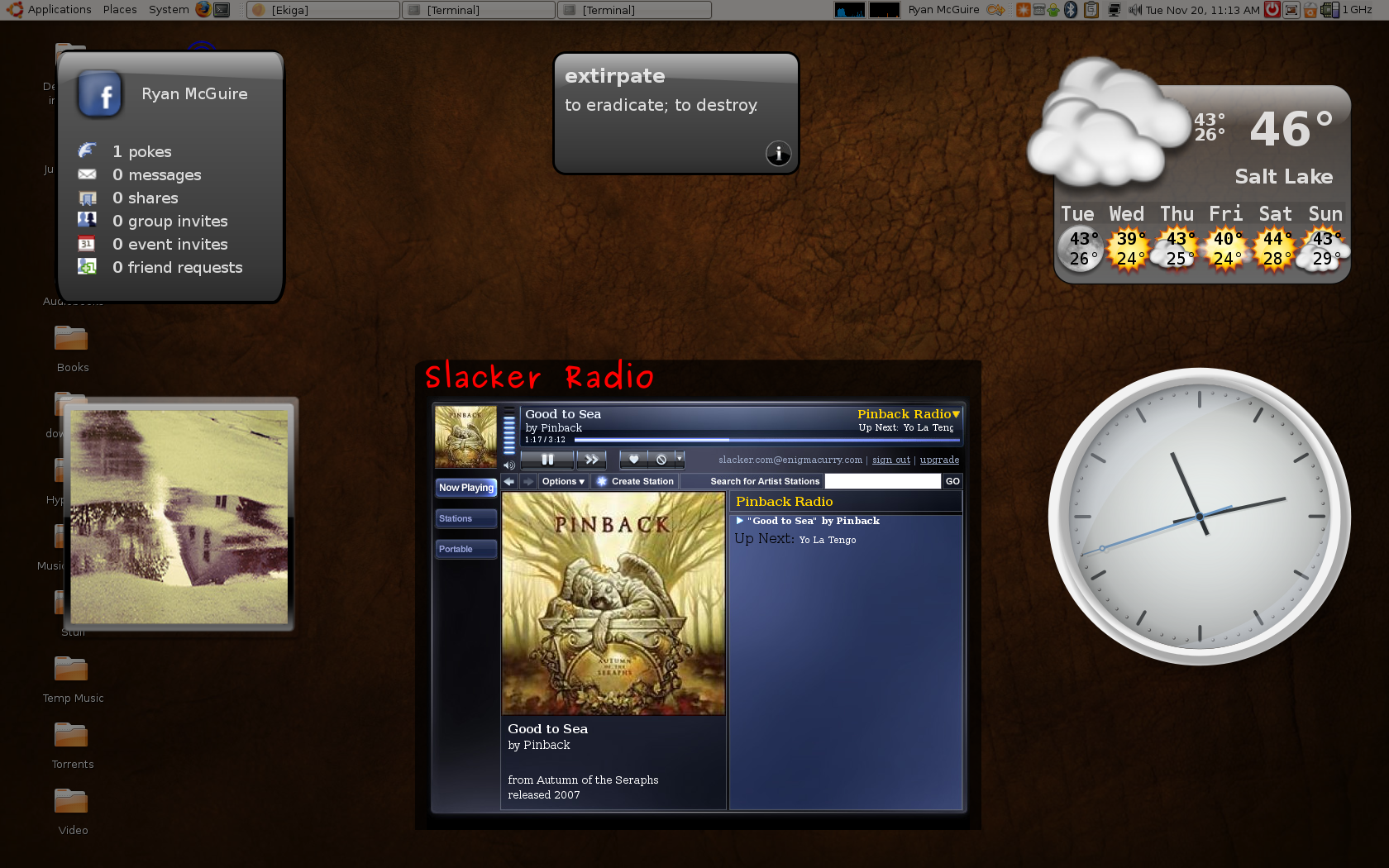
Having an absurdly large music collection can sometimes have it's downsides. Slacker is a nice way to listen to music when you can't decide what to listen to. Like with Pandora or Last.fm, you can create your own radio station by telling the player what kind of music you like and the player will automatically choose music to play for you. With Slacker, you can customize how much or how little new music you want to allow into the mix, which is the main reason I prefer it over Pandora.
On Windows, Slacker has created a nice standalone player. On Linux or Mac you're stuck with the web player. The nice thing about a standalone player is it won't interfere with my habit of closing my browser (thus killing my music). I decided I needed to find a way to separate the player from my main browser.
Screenlets are little, graphical, single-purpose eye-candy (written in Python :)). They can do things like show you the time or the current weather forecast, CPU load, the word of the day etc. Compiz allows these applications to run in their own layer such that they can appear and disappear quickly with the press of a button. They are quick and easy to get to, but stay out of your way when not needed.
I decided a screenlet for Slacker would be ideal, so I wrote one.
You can download my Slacker Screenlet for yourself.
Also see the following:
Contact me
Friends
- brainjack>>
- Duane McGuire - My Dad
- Erin McGuire - My Sister
- Heavy Noir
- OneWatt
- Six Mile Village

Liberty Links
Categories
- android (rss) (1)
- backups (rss) (1)
- blogofile (rss) (1)
- car computer (rss) (1)
- cats (rss) (1)
- class work (rss) (1)
- cool stuff (rss) (9)
- curlbomb (rss) (1)
- diy (rss) (1)
- economics (rss) (2)
- electronics (rss) (1)
- emacs (rss) (13)
- enigma curry (rss) (8)
- enigmacurry.com (rss) (1)
- free state project (rss) (3)
- games (rss) (1)
- geek humor (rss) (3)
- geeky (rss) (2)
- gmail (rss) (1)
- gnome (rss) (1)
- hd-dvd (rss) (2)
- humor (rss) (2)
- java (rss) (3)
- letters (rss) (2)
- liberty rants (rss) (42)
- linux (rss) (20)
- lisp (rss) (1)
- michael badnarik (rss) (2)
- mitt romney (rss) (3)
- music (rss) (1)
- n800 (rss) (1)
- openoffice.org (rss) (1)
- php (rss) (1)
- pissed off (rss) (3)
- python (rss) (31)
- ron paul (rss) (9)
- security (rss) (5)
- software (rss) (1)
- stupidity (rss) (4)
- uncategorized (rss) (6)
- videos (rss) (9)
Archives
- May 2016 (1)
- July 2011 (1)
- September 2010 (1)
- July 2010 (2)
- April 2010 (1)
- January 2010 (1)
- December 2009 (1)
- July 2009 (1)
- May 2009 (2)
- March 2009 (1)
- January 2009 (4)
- December 2008 (3)
- November 2008 (2)
- October 2008 (1)
- September 2008 (1)
- August 2008 (3)
- July 2008 (1)
- May 2008 (2)
- April 2008 (2)
- March 2008 (1)
- February 2008 (2)
- January 2008 (1)
- December 2007 (1)
- November 2007 (5)
- October 2007 (7)
- September 2007 (3)
- July 2007 (3)
- June 2007 (3)
- May 2007 (3)
- April 2007 (3)
- February 2007 (2)
- November 2006 (1)
- October 2006 (3)
- July 2006 (1)
- June 2006 (1)
- May 2006 (2)
- April 2006 (10)
- February 2006 (2)
- January 2006 (6)
- December 2005 (1)
- November 2005 (5)
- October 2005 (3)
- September 2005 (2)
- August 2005 (5)
- July 2005 (1)
- June 2005 (2)
- May 2005 (7)